Screens and Visual Dizziness
When You Feel Dizzy and Foggy During Video Conferences: Screen Settings, Posture, and Recovery Routines
Simplify the face windows and data screens, and disconnect from the stimulation of documents, messengers, and mobile phones that immediately follow the meeting. If visually induced dizziness persists, it is treated with Korean medicine along with headaches and neck tension.
Video conferences combine moving face grids, screen lag, window switching, and a fixed neck posture all at once. Rather than enduring it by thinking your eyes are weak, you should reduce screen stimulation and create time for your sense of balance to recover after the meeting.
| Uncomfortable Scenario | Settings to Change Immediately | Recovery Method |
|---|---|---|
| Face grid | Use speaker view or minimize face windows | Look into the distance to relax your gaze |
| Screen lag | Turn off the camera if possible and focus on audio | Close your eyes briefly and regulate your breathing |
| Frequent window switching | Fix one data window to be large | Move neck and shoulders slowly |
| After the meeting ends | Secure 10 minutes between the next screen-based tasks | Drink water and take a short walk in a safe area |
Video conferencing demands more simultaneous sensory input than just eye fatigue
As multiple small faces move continuously, video and audio slightly desync, and your eyes shift between shared materials and chat windows, your eyes and vestibular system constantly process the movement on the screen. If you also fix your neck and gaze while being conscious of the camera, this can lead to brain fog, nausea, and tension in the back of the neck.
This is why simply lowering the brightness or enduring the discomfort does not solve the problem. The approach to response and treatment varies depending on which factor exacerbates the discomfort: the movement of the screen itself, neck posture, or sleep and headaches before and after the meeting.
If similar dizziness occurs in supermarket aisles, while moving in a vehicle, or during fast-paced videos, we check if there is a general sensitivity to visual motion rather than an issue exclusive to video conferencing.
Simplify the screen by reducing face grids and window switching
Switch to speaker view, minimize participant windows, and fix one shared document to be large. By reducing fast scrolling and animations and adjusting the font size and screen distance for comfort, the amount of movement your eyes must follow is significantly reduced.
If symptoms worsen when the video lags or when audio and lip movements are out of sync, one method is to use the camera only for essential segments and participate primarily via audio for the rest. It is better to find a tolerable level of stimulation that allows you to continue working than to train yourself to endure every meeting.
- View only the speaker or a single material screen in large format
- Reduce fast scrolling and switching between multiple windows
- Place the monitor directly in front of you and avoid fixing your jaw and neck for long periods

Rather than the intensity of the fuzziness, record how long you can sustain reading, screen use, conversation, or work.
Allow a short interval after the meeting for your sense of balance to return
If you move immediately to a smartphone or the next document after turning off the screen, visual stimulation continues. It helps to reset your bodily sensations by looking into the distance to relax your gaze, moving your neck and shoulders slowly, and walking lightly for 5 to 10 minutes in a safe area.
This recovery interval is not time spent avoiding work, but a buffer period to continue with the next task. By lowering the density of screen-based work, such as scheduling short voice calls or using paper documents between long meetings, you can reduce the accumulation of brain fog by the end of the day.
The direction of Korean medicine treatment changes if headaches, neck tension, and nausea overlap
The focus of treatment varies depending on whether your eyes are only tired during video conferences, whether headaches and nausea follow screen stimulation, or whether the instability increases when turning your neck. Vestibular MigraineConditions where one is sensitive to visual stimuli, such as persistent perceptual dizziness, must also be distinguished from other types of dizziness.
Herbal medicine treatment at Baekrokdam addresses the combination of visual sensitivity, headaches, nausea, digestion, and sleep recovery. Acupuncture treatment is provided concurrently to reduce tension around the neck and jaw and headaches, while shortening the time it takes for the body to stabilize after visual stimulation.
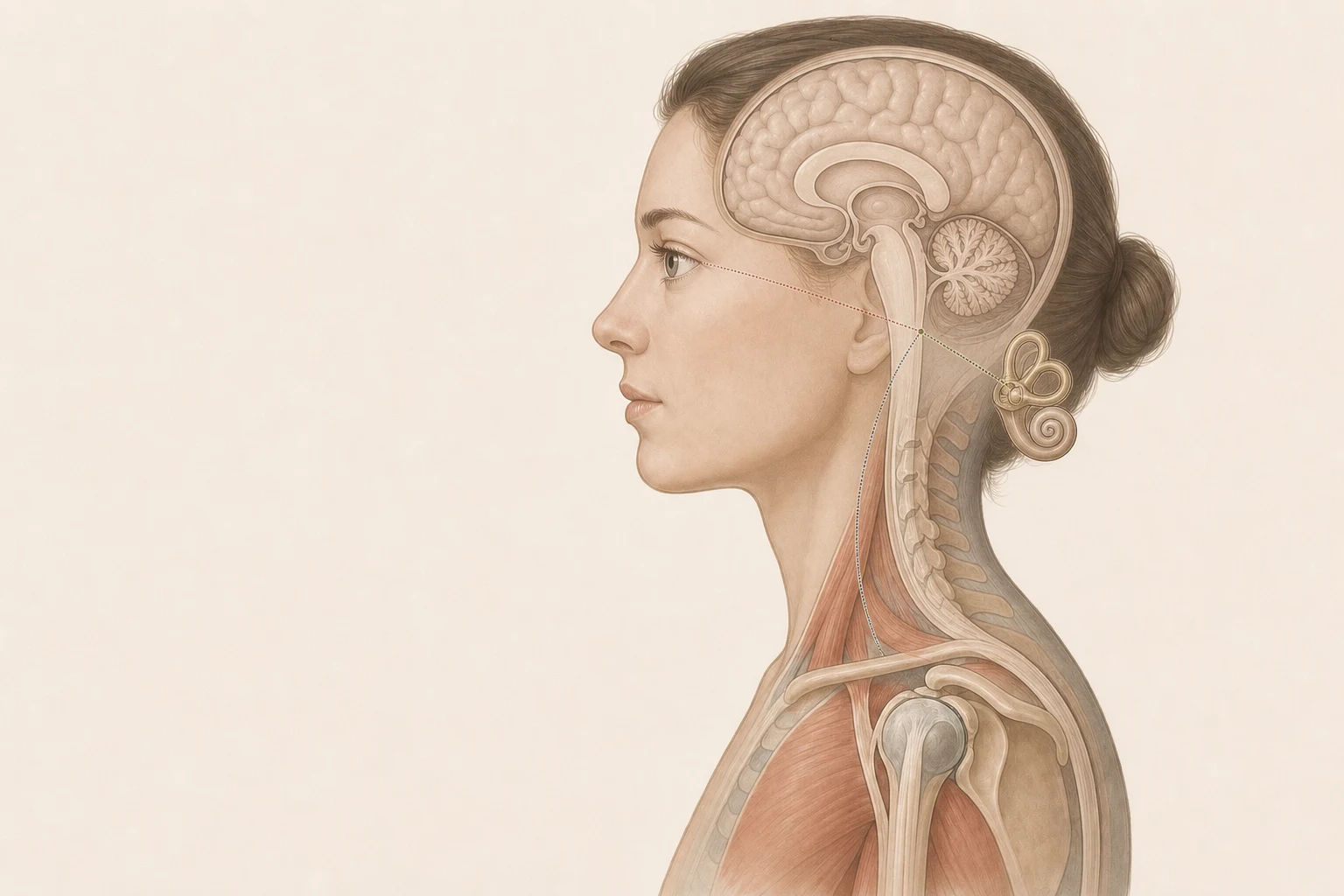
Balance is maintained not only by information from the ears but by processing visual, vestibular, and somatic sensory information together.
The goal of treatment is not to avoid screens, but to be able to continue your day even after a meeting.
If a feeling of brain fog lasts for several hours and you must stop working after a 30-minute meeting with the camera on, simply changing your settings may not be enough. You must reduce the recovery period by managing screen stimulation alongside headaches, neck tension, sleep, and digestion.
Improving does not mean being able to look at all screens for a long time all at once. It means that after completing necessary meetings, a short break restores your sense of balance, and your capacity to smoothly continue with the next task or movement expands.
Distinguish between real-time meeting stimuli and stimuli immediately following the meeting.
Some people feel dizzy immediately when face grids, presentation screens, and chat notifications move all at once during a meeting. Others can endure the meeting, but feel a floating sensation again when stimulation continues through scrolling documents, replying to messengers, or checking their phones afterward. Although both seem like the same screen exposure, the initial stimulus that needs to be reduced is different.
If nausea and brain fog arise within a few minutes of starting a meeting, it is correct to first reduce the number of face windows, window switching, and video lag. Conversely, if instability increases between 10 to 30 minutes after the meeting, it is better to first break the habit of moving immediately to another screen, fixing the neck in one position, and continuing a cluster of work without recovery. If brain fog, pressure at the back of the neck, and nausea persist until the next day even if you endured the current day, it may be more important to check the recovery speed itself through a consultation rather than wondering if adjusting settings is sufficient.
- If you struggle during the meeting: first reduce face grids, window switching, and video lag.
- If you feel more unstable after the meeting: break the subsequent screen chain leading to documents, messengers, and phones.
- If brain fog remains until the next day: check the timing for transitioning to a consultation to see if adjusting settings alone is sufficient.
Dizziness from video conferences may not be simple eye fatigue that you should just endure. Reduce real-time meeting stimuli and subsequent screen stimuli separately; if it recurs even after allowing for a recovery period, visual sensitivity and accompanying symptoms are treated with herbal medicine and acupuncture.
Evidence and Update Information
This content was organized by Korean medicine doctor Choi Yeon-seung based on the materials below and was updated on 2026-09-01.
- NIDCD: Balance disordersPrinciples of how vision, vestibular, and somatosensory systems create balance together and the basic pathway for dizziness evaluation
- ICHD-3: Vestibular migraineDiagnostic contexts where visual stimuli and dizziness can appear together, regardless of the presence of a headache
- Bárány Society: PPPD diagnostic criteriaConsensus criteria for persistent perceptual dizziness that worsens with complex visual stimuli and movement
- NHS: DizzinessCommon patterns of dizziness and basic responses to avoid overexertion in daily life
- Cleveland Clinic: Persistent postural-perceptual dizzinessPatient explanations regarding dizziness that worsens in visual environments and approaches to rehabilitation and treatment